A step-by-step guide to sending an alert to the operator's KakaoTalk the moment a contact form inquiry is saved. It covers app setup, tokens, example PHP code and token upkeep for Kakao's Send to me API, how to prepare AlimTalk for customer notices, and privacy and security precautions.
Once you add a contact form to your website, a new question comes up: when do you check whether an inquiry has arrived? If you keep opening the admin page several times a day or missing email alerts, you can have a KakaoTalk notification arrive the moment an inquiry is saved. KakaoTalk is Korea's most widely used messenger. This post walks through how to connect it step by step, using a PHP website as the example. It is based on the Kakao Developers documentation and Kakao Business guides as of Oct 13, 2026, and the code is an example that shows the structure.
Start with the overall flow
A notification goes through four steps.
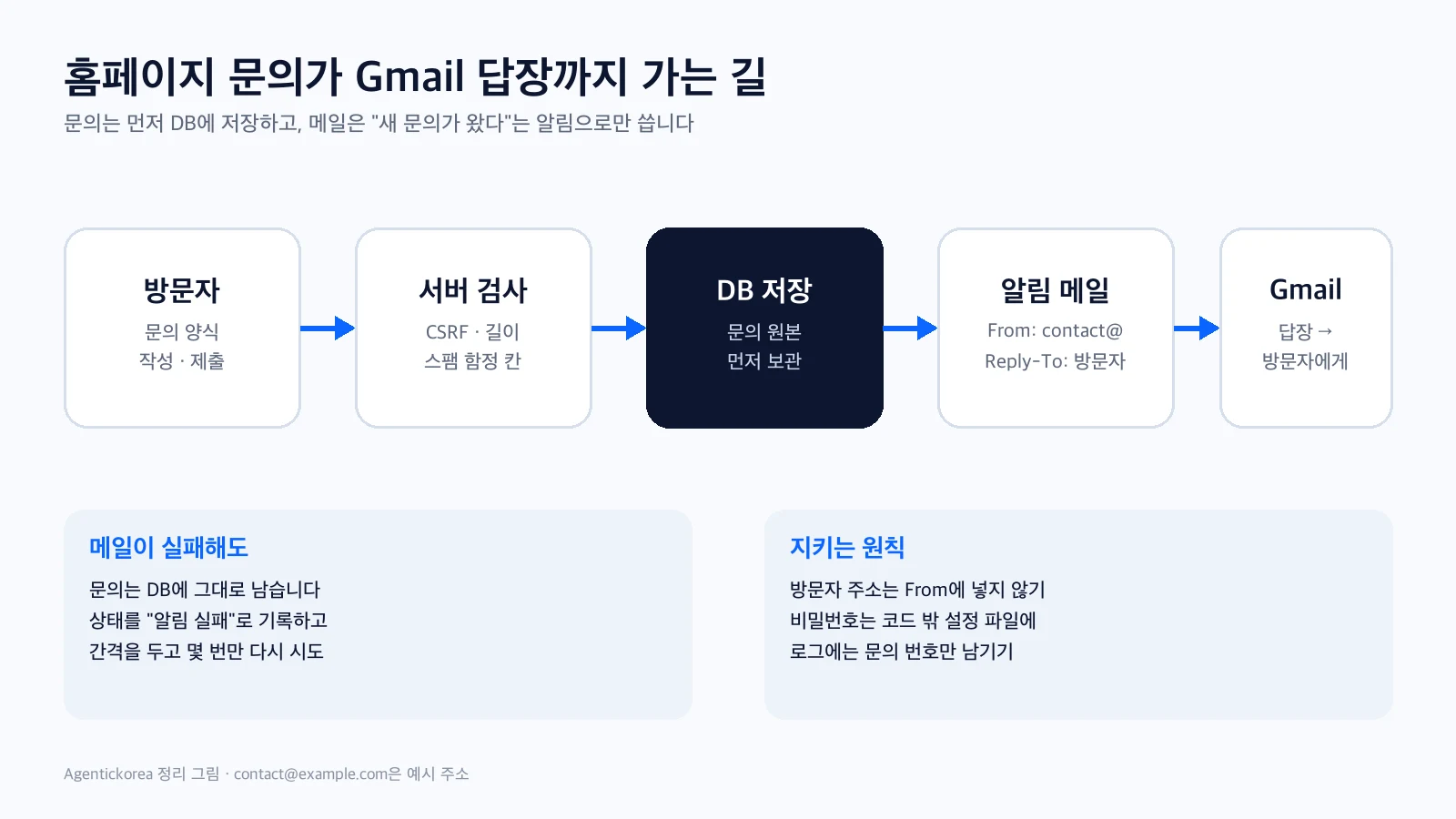
• A visitor submits the contact form.
• The server saves the inquiry to the database first.
• After saving, the server calls the Kakao API to send a message.
• A "new inquiry" alert arrives in KakaoTalk on your phone.
The most important rule here is "save first, alert second." Even if the alert fails because of a Kakao outage or a token problem, the inquiry itself must always be saved. The alert is a convenience; saving the inquiry is the real job.
Two options: Send to me and AlimTalk
There are two main ways to get KakaoTalk notifications. Choose based on your purpose.
• Send to me (Kakao Message API): messages go only to the "chat with myself" room of the person logged in with Kakao. It suits a single operator receiving new-inquiry alerts. You only need to create an app on Kakao Developers and set up login.
• AlimTalk (Kakao BizMessage): informational messages that can be sent even to customers who have not added your KakaoTalk channel. It is for sending a confirmation such as "We received your inquiry" to the customer, or alerting several staff members. It requires a business channel, Kakao's template review and a contract with an official dealer, and each message costs money.
In short, if the operator wants alerts, start with Send to me, and consider AlimTalk when you need automatic notices to customers. The rest of this post is based on Send to me.
Step 1: Create an app on Kakao Developers
• Log in to Kakao Developers (developers.kakao.com) with a Kakao account and add an application.
• Find the REST API key in the app settings. The server uses it when it calls Kakao.
• Register your website address under product link management (web domain). Links inside messages must use a registered domain.
• Turn on Kakao Login and register one redirect URI. It is used only once when you first get a token, so any address on your site will do.
• In consent items, turn on "Send KakaoTalk messages (talk_message)."
Step 2: Get a token once
Send to me needs permission (a token) from your Kakao account. The first time, a person logs in and grants permission; after that, the server renews and uses the token.
1) Paste into the browser address bar, log in and agree (use your own app values)
https://kauth.kakao.com/oauth/authorize?client_id=REST_API_KEY&redirect_uri=REGISTERED_URI&response_type=code&scope=talk_message

2) Exchange the code=... value from the returned address for tokens (terminal)
curl -X POST https://kauth.kakao.com/oauth/token \
  -d grant_type=authorization_code \
  -d client_id=REST_API_KEY \
  -d redirect_uri=REGISTERED_URI \
  -d code=AUTHORIZATION_CODE
The response includes an access token and a refresh token. Based on the example response in Kakao's documentation, the access token lasts about 12 hours and the refresh token about 60 days. Save the refresh token and REST API key as a JSON file in a server folder the web cannot reach.
Step 3: Add a notification function to the server
The function does two things. It gets a new access token with the refresh token, then calls Send to me with that token. The text template allows up to 200 characters and must include link information.
<?php
// Call this after the inquiry is saved to the database (example code)
function kakao_notify(string $text): bool {
    $file = __DIR__ . '/../storage/kakao-token.json'; // a folder the web cannot reach
    $cfg  = json_decode((string) file_get_contents($file), true) ?: [];

    // 1) Get a new access token with the refresh token
    $token = kakao_post('https://kauth.kakao.com/oauth/token', [
        'grant_type'    => 'refresh_token',
        'client_id'     => $cfg['rest_api_key'] ?? '',
        'refresh_token' => $cfg['refresh_token'] ?? '',
    ]);
    if (empty($token['access_token'])) return false;
    if (!empty($token['refresh_token'])) { // a new value arrives when expiry is near
        $cfg['refresh_token'] = $token['refresh_token'];
        file_put_contents($file, json_encode($cfg), LOCK_EX);
    }

    // 2) Send to me (text template, up to 200 characters)
    $template = [
        'object_type'  => 'text',
        'text'         => mb_substr($text, 0, 200),
        'link'         => ['web_url' => 'https://example.com/admin',
                           'mobile_web_url' => 'https://example.com/admin'],
        'button_title' => 'Open admin',
    ];
    $sent = kakao_post('https://kapi.kakao.com/v2/api/talk/memo/default/send',
        ['template_object' => json_encode($template, JSON_UNESCAPED_UNICODE)],
        $token['access_token']);
    return ($sent['result_code'] ?? -1) === 0;
}

function kakao_post(string $url, array $data, ?string $accessToken = null): array {
    $headers = ['Content-Type: application/x-www-form-urlencoded;charset=utf-8'];
    if ($accessToken) $headers[] = 'Authorization: Bearer ' . $accessToken;
    $ch = curl_init($url);
    curl_setopt_array($ch, [
        CURLOPT_POST => true,
        CURLOPT_POSTFIELDS => http_build_query($data),
        CURLOPT_HTTPHEADER => $headers,
        CURLOPT_RETURNTRANSFER => true,
        CURLOPT_TIMEOUT => 5,
    ]);
    $body = curl_exec($ch);
    curl_close($ch);
    return json_decode((string) $body, true) ?: [];
}
Then call the function after the inquiry-saving code. Call it only when saving succeeds, and make sure a failure does not affect what the visitor sees.
// After the inquiry is saved successfully
$saved = save_inquiry($form);            // your existing save code
if ($saved) {
    $ok = kakao_notify('[New inquiry] ' . $form['type'] . ' · ' . date('m/d H:i'));
    if (!$ok) error_log('kakao notify failed'); // only log a failed alert
}
Step 4: Keep the token from expiring
The most common problem is alerts quietly stopping a few months later. The cause is almost always the token.
• A new refresh token is included in the renewal response only when less than one month remains. When a new value arrives, you must overwrite the file (the code above handles this).
• If no inquiries arrive for nearly two months, the refresh token can expire with no chance to renew. If your hosting supports scheduled jobs (cron), you can run a job that only renews the token once a day.
• If it has expired, just repeat Step 2. Logging failed alerts, for example with error_log, tells you right away when they stopped.
What to protect: privacy and security
• Keep the alert minimal. "New inquiry · type · time" is enough; check the name, contact details and message in the admin page. The message passes through Kakao's servers and stays on your phone.
• Keep the REST API key and tokens on the server only. Do not put them in front-end code (JavaScript) or a Git repository, and set file permissions so only you can read them.
• Give the alert request a short timeout (5 seconds in the example) so the inquiry screen does not hang when Kakao responds slowly.
• More spam inquiries mean more alerts. It is better to set up spam protection (a hidden field and rate limits) before adding alerts.
If customers need messages too: preparing AlimTalk
If you want to automatically send customers a "received" message, AlimTalk is the right tool. According to Kakao Business guidance, the steps are:
• Create a KakaoTalk channel and convert it to a business channel. Turn on home visibility and enter customer service information.
• Sign up with one of the official dealers (BizMessage sending agencies) contracted with Kakao and register a sender profile. Prices and features differ by dealer.
• Register the message text as a template and get it reviewed by Kakao. Only informational messages are allowed; promotional wording will not be approved.
• Send from your server using the approved template and the dealer's API. Use only lawfully collected phone numbers, and add a notice and consent for notifications to the contact form.
Sample requests when you hand it to AI
You can leave the code to an AI coding tool, but clear conditions make the result much more reliable. Here are sample requests.
• "Send a Kakao Send-to-me alert only after the inquiry is saved successfully. If the alert fails, saving and the visitor's screen must not be affected."
• "Keep the tokens and REST API key in a JSON file in a folder the web cannot reach, and overwrite it when a new refresh token arrives. Do not commit it to Git."
• "Put only the inquiry type and time in the message, not the name, contact details or message body. Use a 5-second request timeout."
• "When it is done, send one test inquiry to check that the KakaoTalk alert arrives, and check that inquiries are still saved even when the token file is temporarily removed."
If you also want inquiries by email, see Receive website inquiries at your domain email, and for the big picture of domain email, see If domain email feels hard.
Wrapping up: add it small, and let it fail safely
An inquiry alert clearly speeds up your response once it is in place. But it depends on an outside service, so it will fail at some point. Just keep three rules: save first, log a failed alert quietly, and keep personal data in the message to a minimum. We recommend starting with Send to me for operator alerts and expanding to AlimTalk when you need customer notices.
Sources
Kakao Developers — 카카오톡 메시지 REST API (나에게 보내기, talk_message) ↗
Kakao Developers — 카카오 로그인 REST API (인가 코드 · 토큰 받기 · 토큰 갱신) ↗